
Connect Google Workspace, Gmail, Microsoft 365, and Outlook
Connect your Google Workspace or Microsoft 365 account to let Andri search your calendar and email when working on a case. This helps Andri find relevant information from your Outlook or Gmail messages and calendar events.
Before you begin: You need a Google Workspace or Microsoft 365 account with the calendar and email you want to connect, and only the case owner can connect or disconnect integrations.
What these integrations do
When you connect Google Workspace or Microsoft 365, Andri can:
Search your calendar events for relevant dates and appointments
Search your email for messages related to your case
Extract your writing style
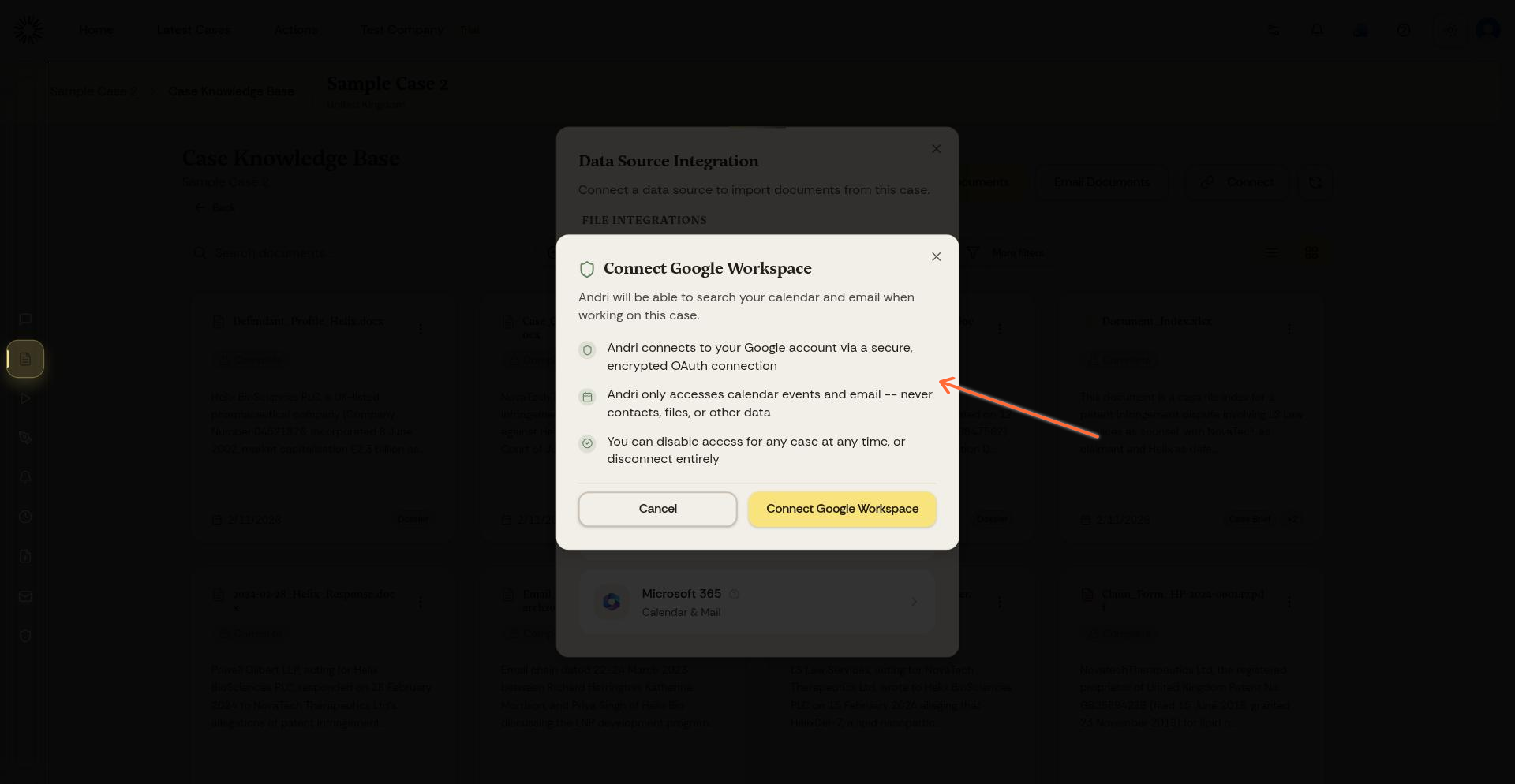
Andri uses a secure OAuth connection and only accesses calendar events and email. It never accesses your contacts, files, or other data.
Access is read-only by default. The case owner can grant a separate Allow sending permission, which lets Andri send email drafts you have approved from your own mailbox. Andri never changes or deletes mail or calendar items.
You connect the account once, then enable calendar and email access for each case that needs it. Sign-in opens in a popup window, so allow popups for app.andri.ai if nothing appears.
Connect Google Workspace (Gmail)
Open a case and go to its Knowledge Base
Click the Connect button
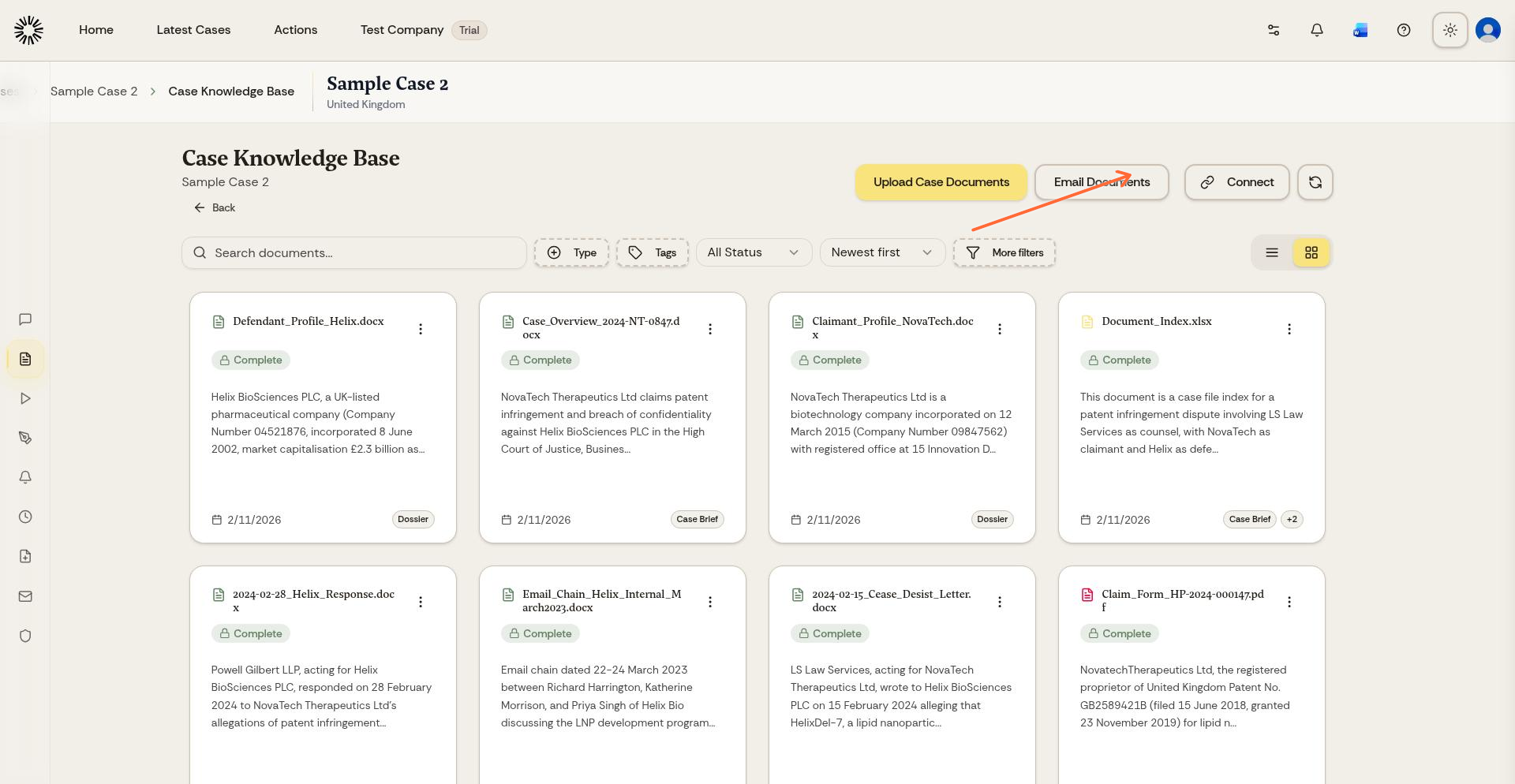
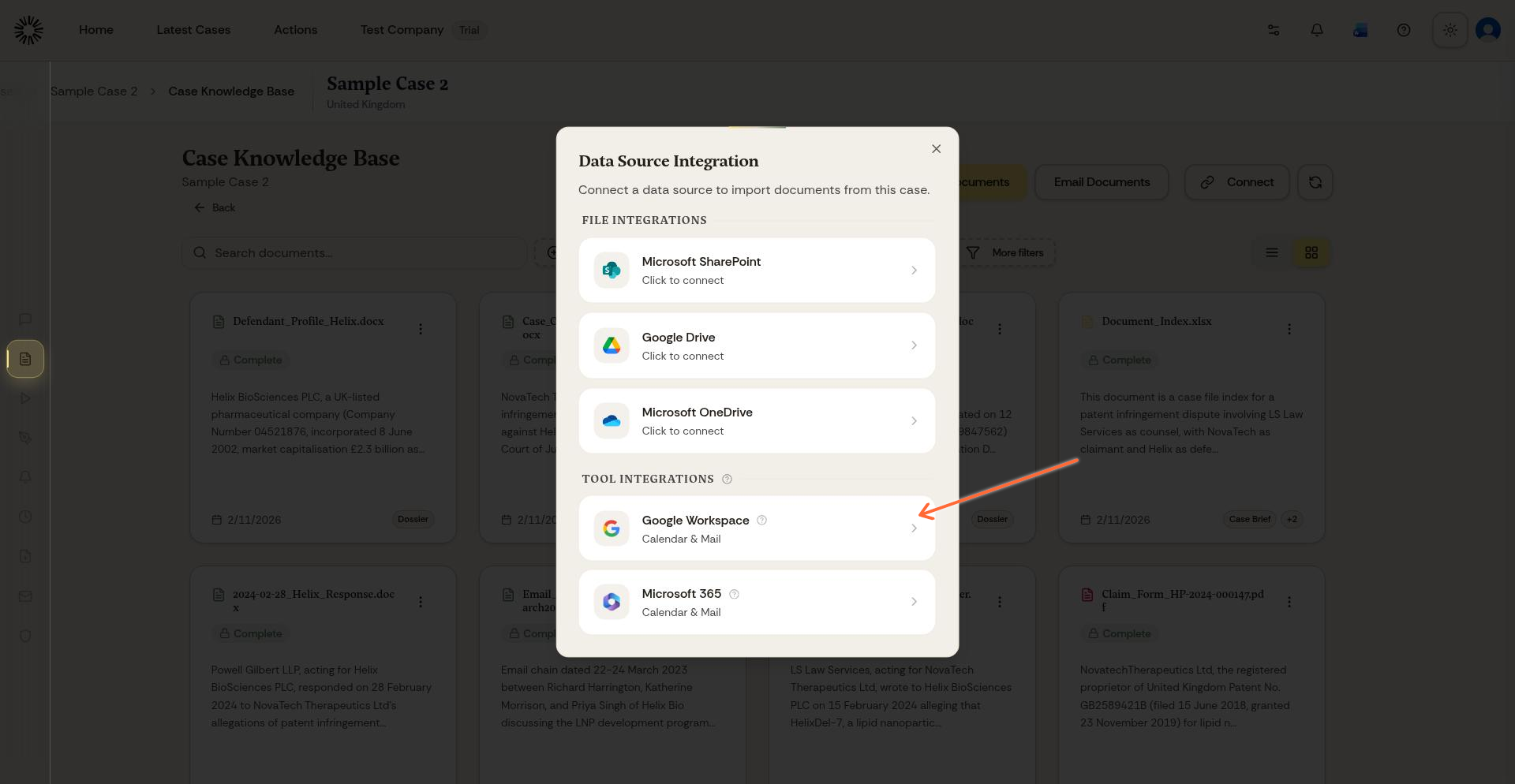
In the Data Source Integration modal, click Google Workspace under Tool Integrations
Review the permissions and click Connect Google Workspace
Sign in with your Google account when prompted
Grant permission for Andri to access your calendar and email
Back in the modal, enable calendar and email access for this case
The integration then reads Enabled for this matter. Do the same in any other case where you want Andri to use the account.
Connect Microsoft 365 (Outlook)
The process for Microsoft 365 is identical to Google Workspace. When connected, Andri can search your Outlook calendar and email.
Open a case and go to its Knowledge Base
Click the Connect button
In the Data Source Integration modal, click Microsoft 365 under Tool Integrations
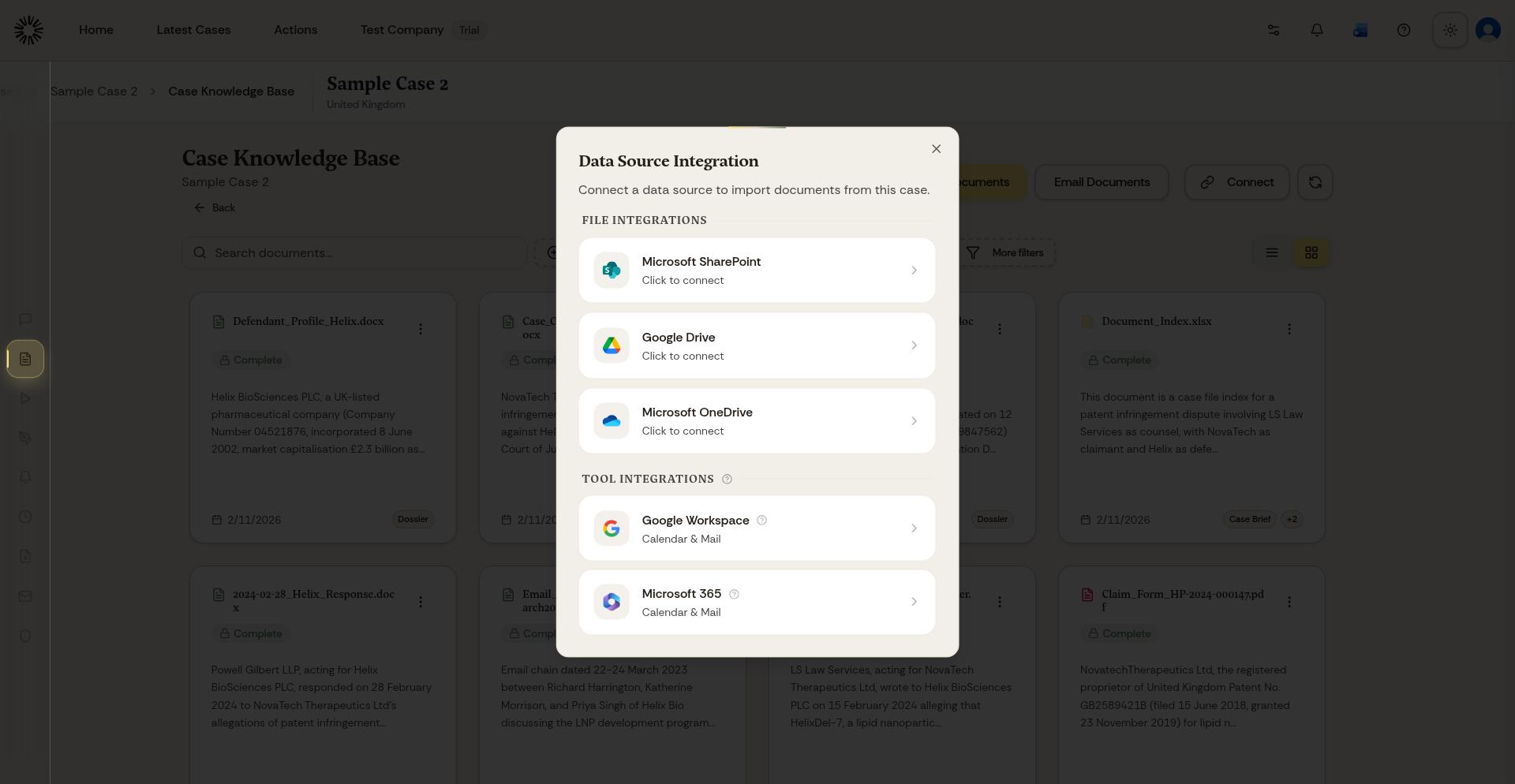
Review the permissions and click Connect Microsoft 365
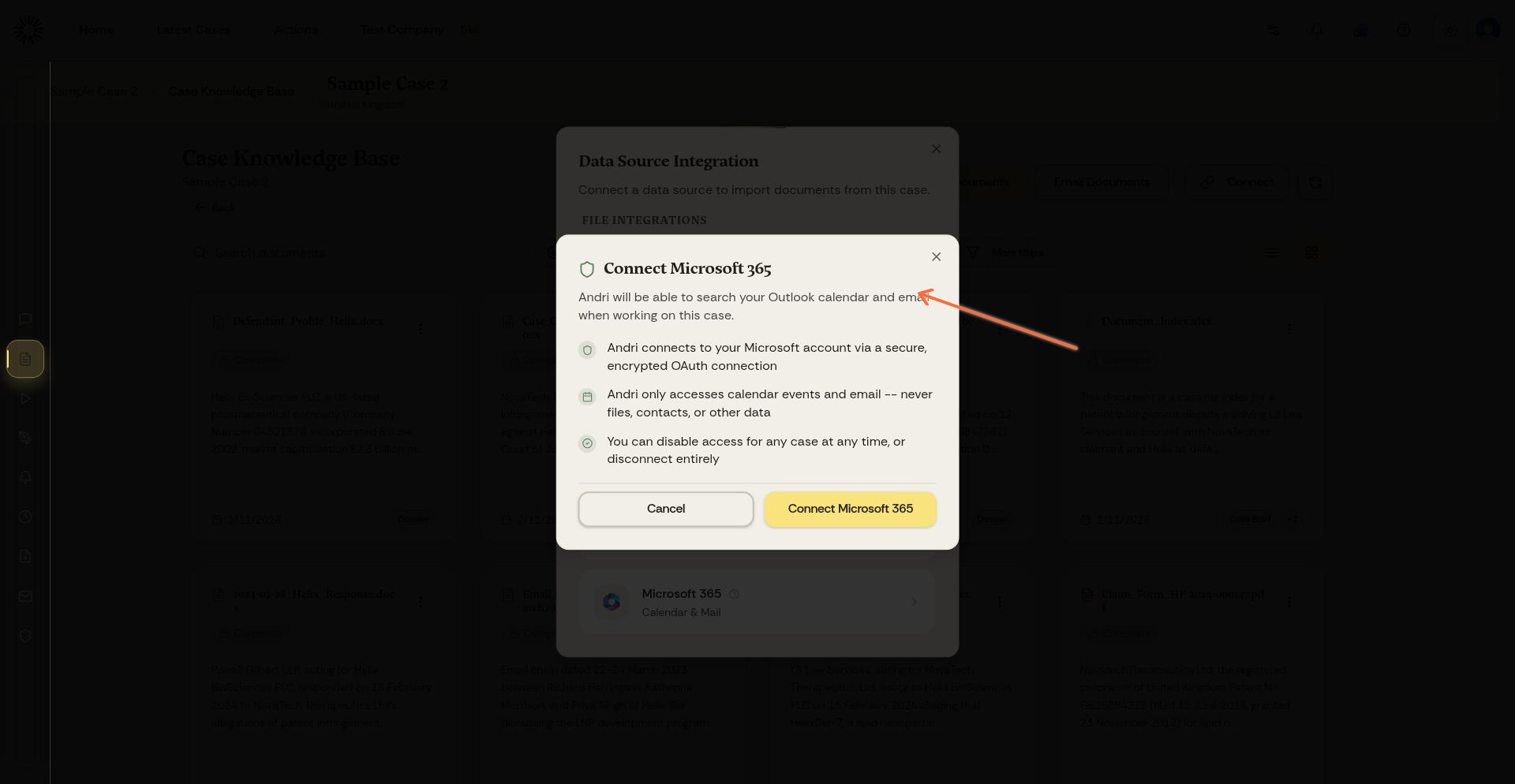
Sign in with your Microsoft account when prompted
Grant permission for Andri to access your Outlook calendar and email
Back in the modal, enable calendar and email access for this case
What Andri can access
Both integrations follow the same security principles:
Andri connects via a secure, encrypted OAuth connection
Andri only accesses calendar events and email
Andri never accesses contacts, files, or other data
You can disconnect the account at any time
Keep some email away from Andri
Each case can carry an exclusion rule, set from the cog on the integration in the modal. Choose one of two modes.
People: block individual addresses or whole domains. Andri drops any email or calendar event involving a blocked address, and drops the entire conversation thread if one message in it is blocked.
Date cutoff: set the earliest date Andri may read. Anything dated before it stays invisible.
A case uses one mode at a time, so saving a new mode replaces the previous setting. Admins can set the same two kinds of rule for the whole firm from the Restrictions page, and a case rule can only be stricter than the firm-wide one.
Sharing a case that has these accounts connected lets everyone you share it with ask Andri to search and read them using your credentials. That share requires two-factor authentication on your own account.
Disconnect an integration
One control does both jobs: it turns the integration off for that case and removes the account connection from Andri. Only the case owner sees it.
Open the case and go to its Knowledge Base
Click the Connect button
Click the trash icon on the connected integration
You can reconnect at any time. Your Microsoft account still lists Andri as a connected app until you remove it there, and until you do, reconnecting will not ask you to approve the permissions again.
When authorisation expires
Authorisation does not last forever. When it lapses, the integration shows Authorisation expired and Andri cannot read your calendar or email until you click Reconnect and sign in again.