
Unauthorized sender error (email)
If your emails aren't being added to your case when forwarded to the case email address, it's likely because the sender isn't on the allowed email addresses list.
Emails from senders who are not on the allowed list are always rejected, and the sender receives an automatic reply saying the email was not processed.
Fix the issue
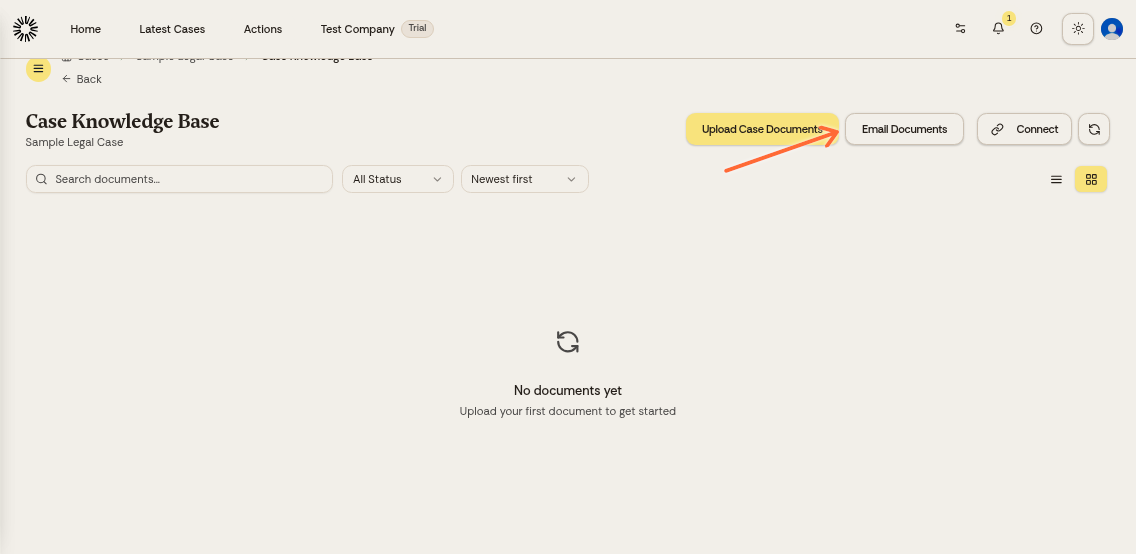
Only the matter owner can change these settings. Open your case and click Email Documents in the Matter Knowledge Base section:
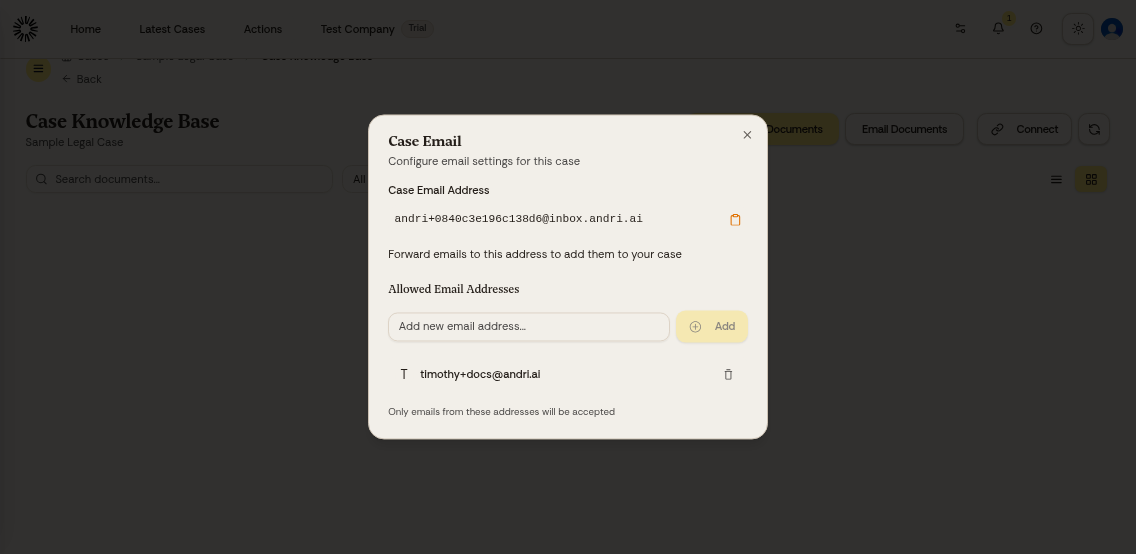
Check the Allowed Email Addresses list. If the sender's email is missing, add it:
Enter the email address and click Add:
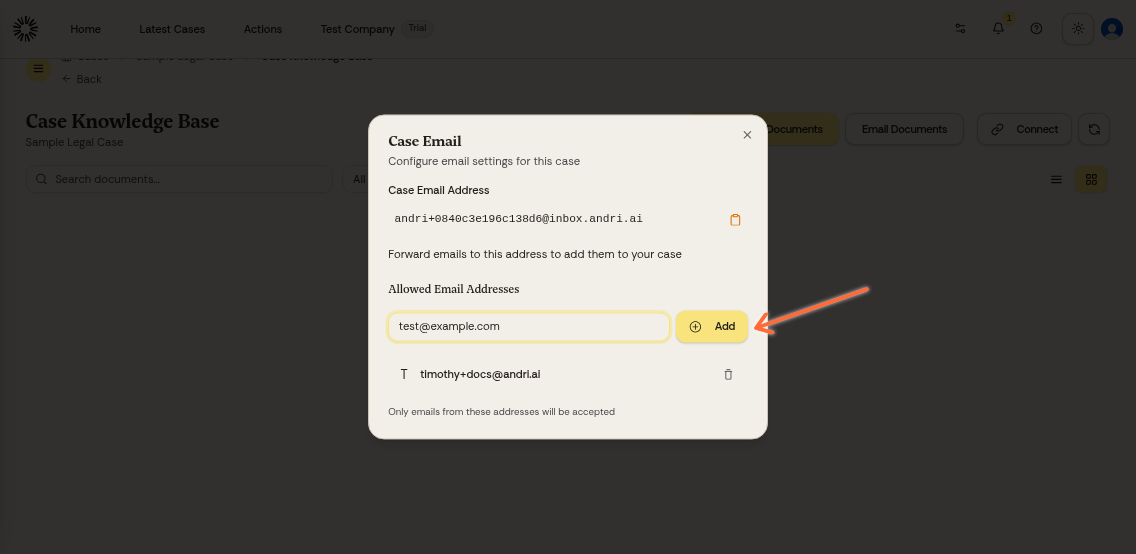
Once added, that sender can forward emails to your case. Have them resend the email if it was rejected.
You can add multiple email addresses. This is useful when working with colleagues or clients who need to send documents to your case.
Other reasons an email is rejected
The allowed senders list is not the only check a message has to pass.
Some messages are rejected before the allowed senders list is reached: an SPF check that fails outright, or a spam or virus verdict. These rejections are silent. The sender gets no reply at all, so the email simply never arrives.
Sending documents by email is available on paid plans. A sender who is already on the allowed list is told that a paid plan is required; a sender who is not on the list only ever sees the unauthorized-sender reply.
Still having issues?
If you've added the email address but messages still aren't appearing:
Verify the sender is using the exact email address in your allowed list (check for typos or alternate addresses)
Confirm they're forwarding to the correct unique case email (shown in the Email Documents modal)
Check that the email was sent recently (there may be a brief processing delay)
Learn more about emailing files to your case.