
How can I export my case data?
You can download all documents and data from a case as a zip file. This is useful for archiving completed cases, sharing case files with colleagues, or keeping local backups.
Export a case
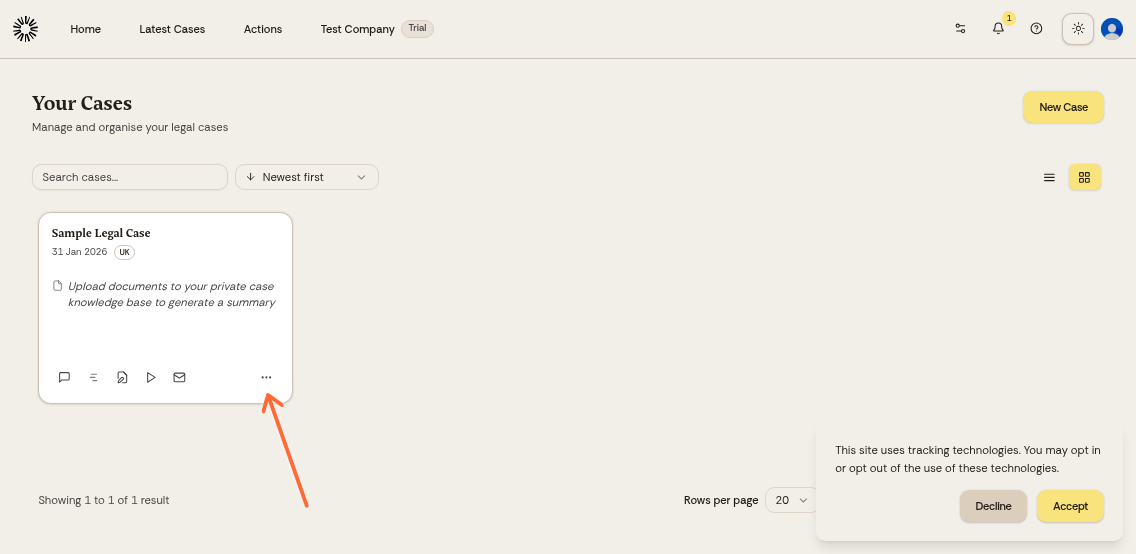
From your cases homepage, find the case you want to export.
Click the three-dot menu next to the case name.
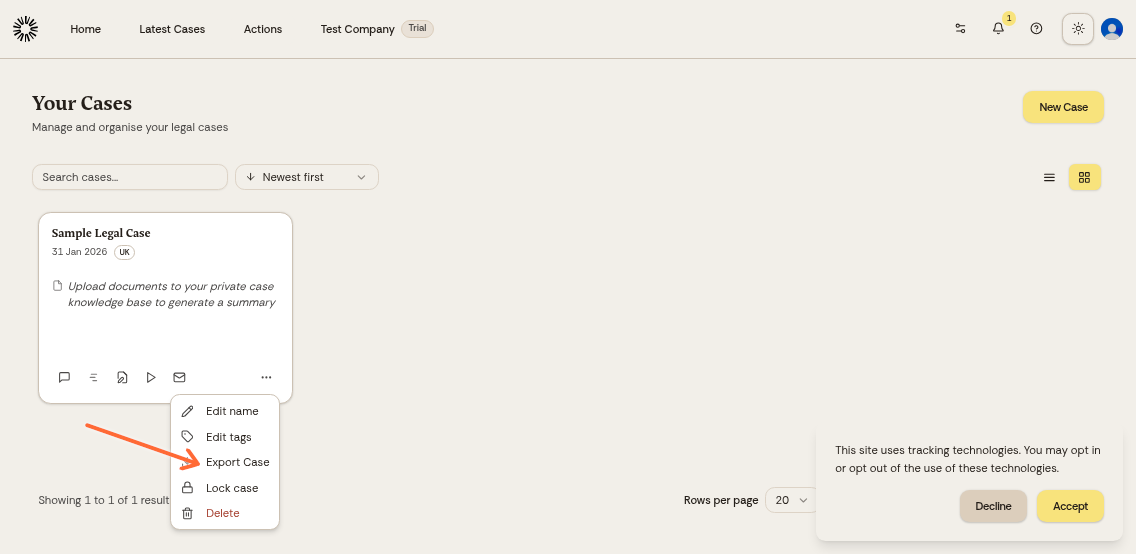
Click Export Matter.
Starting an export asks you to verify your identity with a second factor, so enable two-factor authentication in your account settings first.
We prepare the archive in the background, which takes a few minutes for a large case. You can leave the page while it builds.
When the archive is ready, a Your export is ready dialog and a bell notification both offer Download. Downloading asks for a second factor again, and the link stays valid for a few minutes after you press it. The archive is kept for seven days.
What's included in the export
The exported zip file contains three things:
README.txt with the export date, case name, who exported it, a security notice, and the number of documents and messages included
documents/ with the original files uploaded to the case
conversation.txt with the full chat history, merging the messages from every thread into one list in time order
If a document cannot be retrieved, it is left out of the archive and counted as unavailable in README.txt.
Exported files are in their original format (PDF, DOCX, etc.). You can open them with any compatible software.