
How do I delete a case from my overview?
You can permanently delete cases from your cases dashboard to clean up your workspace.
Deleting a case is permanent. All documents, research, and drafts in the case will be removed and cannot be recovered. To protect important cases from accidental deletion, you can lock them first: a locked case cannot be deleted until you unlock it.
Delete a case
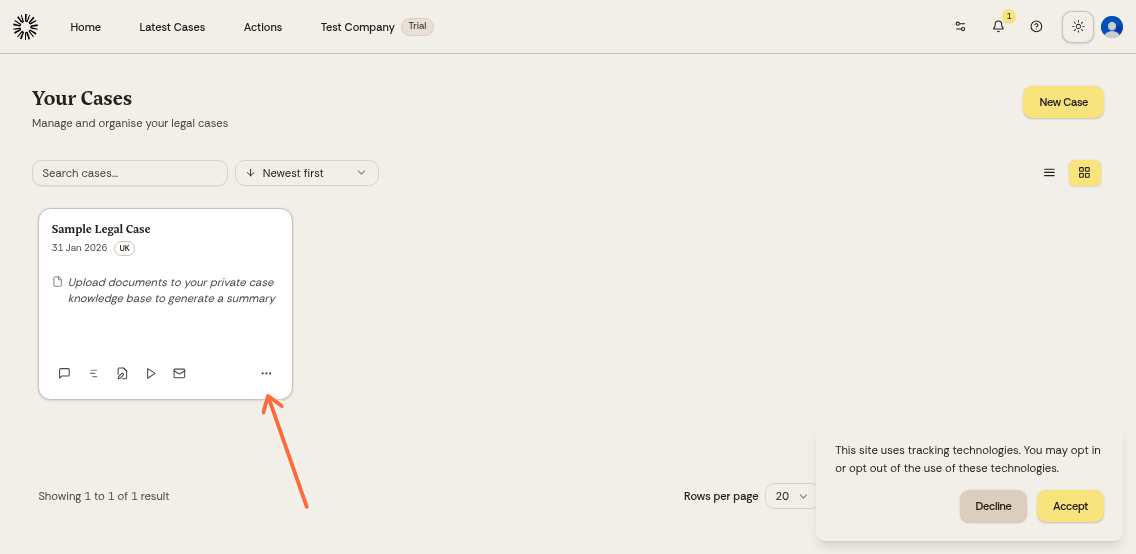
From your cases dashboard, click the three-dot menu on the case card you want to delete.
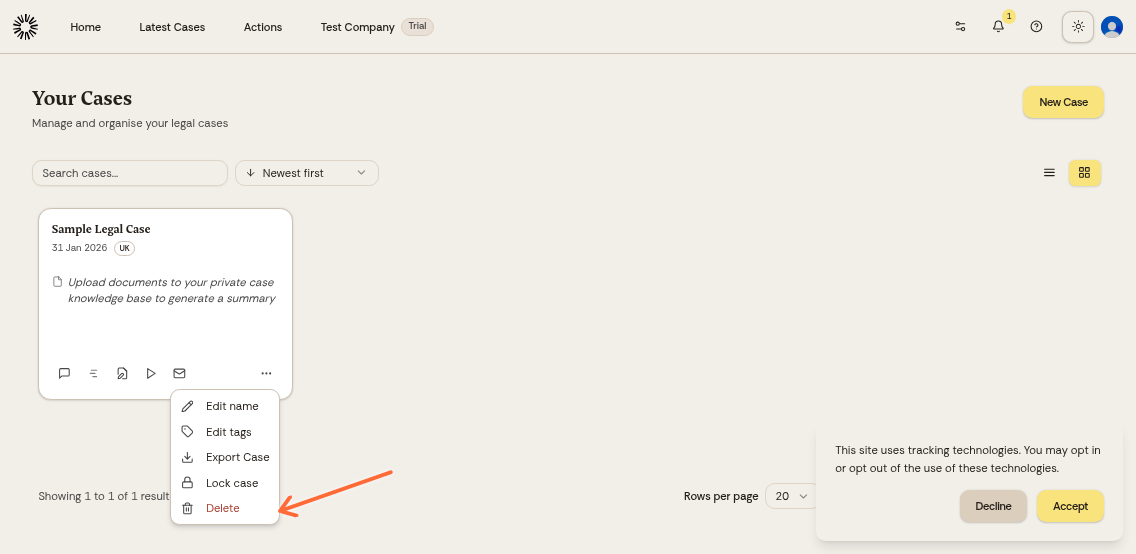
Click the trash icon in the menu.
Type the matter name in the confirmation dialog, then confirm. Everyone the case is shared with loses access and is notified.
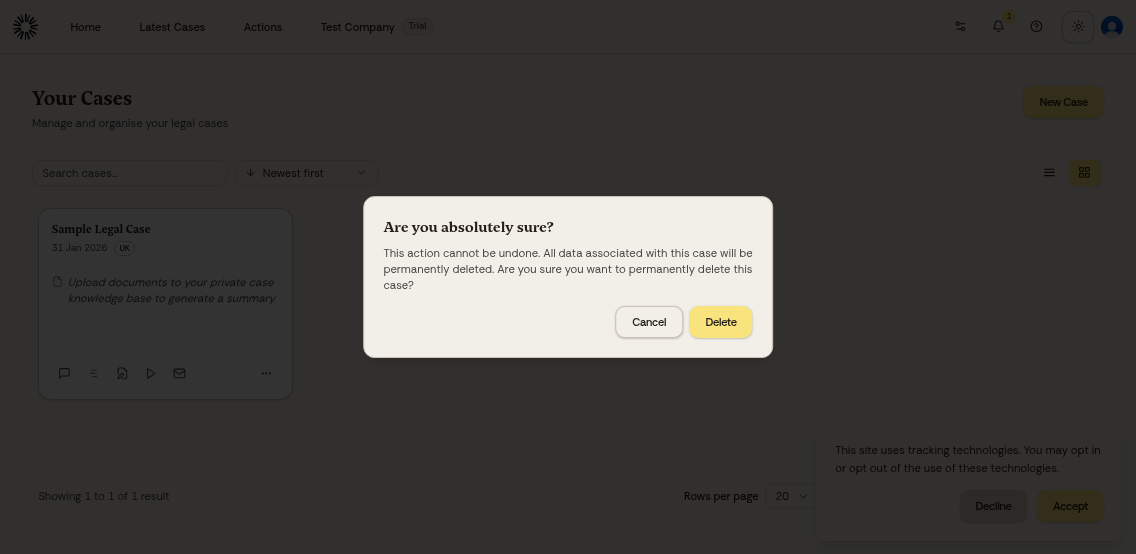
The case will be immediately removed from your dashboard.
Was this helpful?
Was this helpful?