
Using the dislike button to give feedback
The dislike button lets you tell us when an AI response doesn't meet your needs. Your feedback helps improve Andri's accuracy and usefulness. The thumbs-up icon opens the same form for responses that worked well.
How to submit feedback
After Andri responds to your prompt, you'll see a thumbs-down icon below the message:
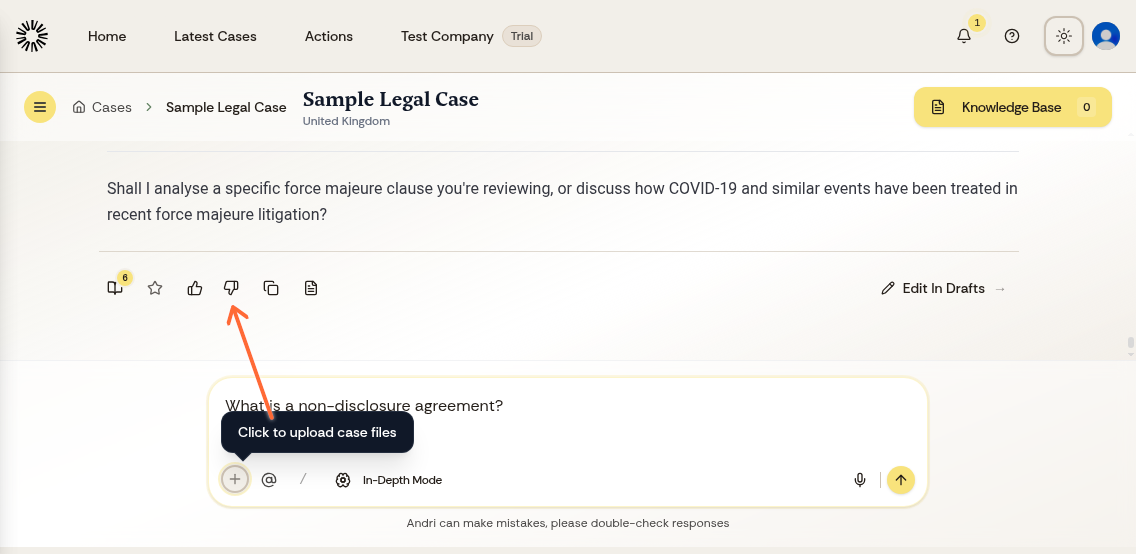
Click the thumbs-down icon below any response
A feedback form will appear asking what went wrong
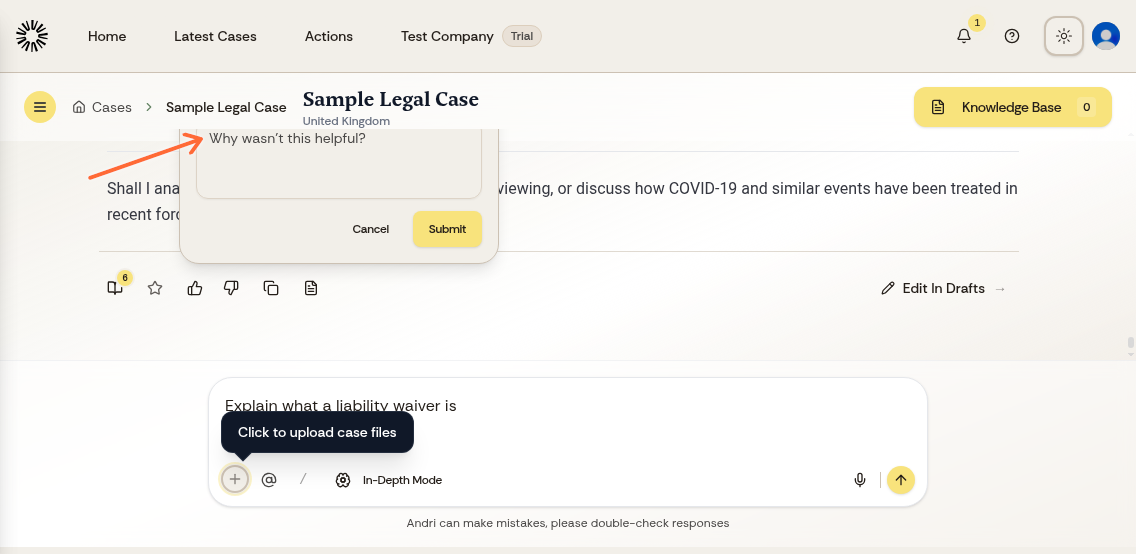
Describe what went wrong. A written note is required before you can submit
Submit your feedback
Feedback is linked to your account and stored with the message you rated. The message text stays inside your firm's environment. We may contact you to help resolve the issue Andri had with your request.
What happens with your feedback
Andri applies your feedback in the conversation you are in and takes it into account in later replies. A correction you write now shapes the next answer, so it is worth naming the specific problem rather than the general impression.
When to use the dislike button
Click dislike when a response is:
Inaccurate or contains incorrect legal information
Incomplete or missing important details
Not relevant to your question
Unclear or confusing
The more specific your feedback, the better we can address issues. Say what the response got wrong and what you expected instead.