
How do I cancel my subscription?
Admins on a monthly Business subscription can cancel it from the Billing page. The subscription stays active until the end of the current billing cycle and no further charges follow. Annual, promotional and custom subscriptions cannot be cancelled there: email [email protected] before your renewal date and we will end the subscription for you.
Only users with admin permissions can access the Billing page and cancel subscriptions.
Cancel your subscription
1. Navigate to Billing
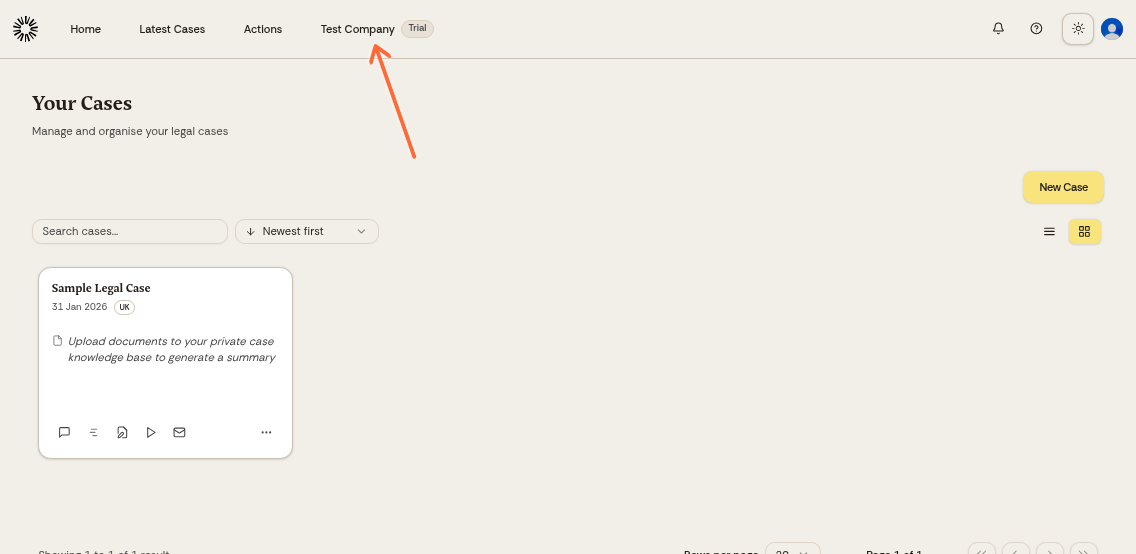
Log in to app.andri.ai and click your company name in the top menu, then select Billing in the left menu.
2. Scroll down and click cancel
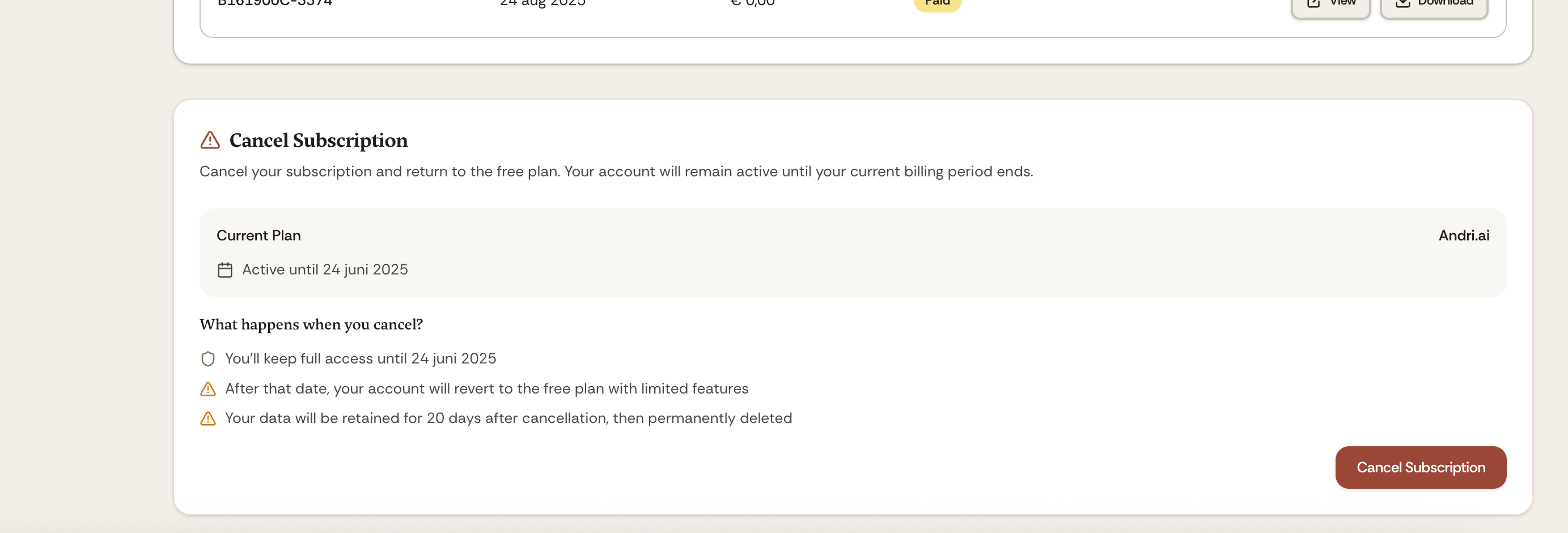
On the Billing page, scroll down to the subscription details section. Click the cancel button to cancel your subscription. If your firm is not on a monthly Business subscription, this section does not appear.
3. Confirm cancellation
Type CANCEL in the confirmation dialog, then click Cancel now. The Billing page then shows the cancellation as scheduled, along with the date your access ends.
What happens after cancellation
Access continues: You keep full access to Andri until the end of your current billing period
No future charges: Your subscription will not auto-renew, and you won't be billed for the next cycle
No notice period: Monthly subscriptions can be canceled anytime without a notice period
Account reverts to free: After your final access date, your account moves to the free plan with limited features
Data retained for 20 days: We keep your firm's data for 20 days after cancellation so you can reactivate. After that it is scheduled for deletion
Annual subscriptions renew automatically and cannot be cancelled from the Billing page. Contact us before your renewal date to end one.
Need help?
If you have questions about your billing cycle, refunds, or reactivating your subscription, contact [email protected] or reach out to support.
For information on activating a subscription, see Setting Up Your Company and Activating a Subscription.