
Personalisation settings
Personalisation settings let you customize how Andri responds to your prompts, tailoring the AI's communication style, detail level, and formatting to match your preferences and work style.
Accessing Personalisation settings
Click the Personalisation button, the sliders icon in the top right corner of any page.
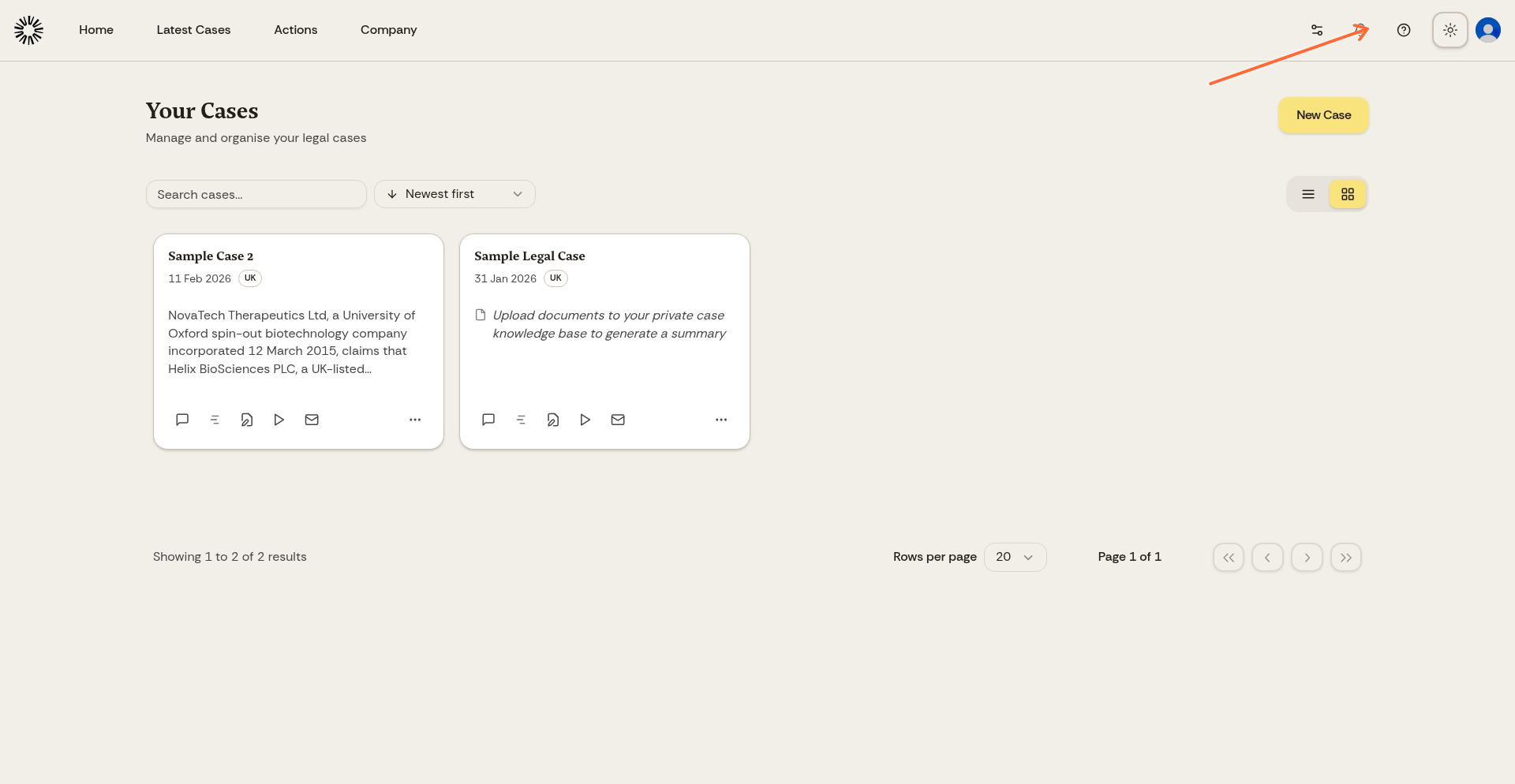
The Personalisation dialog opens with all available customization options. Response Style, Detail Level, and Format sit on the AI responses tab; the other tabs cover chat and display, notifications, after hours, and privacy.
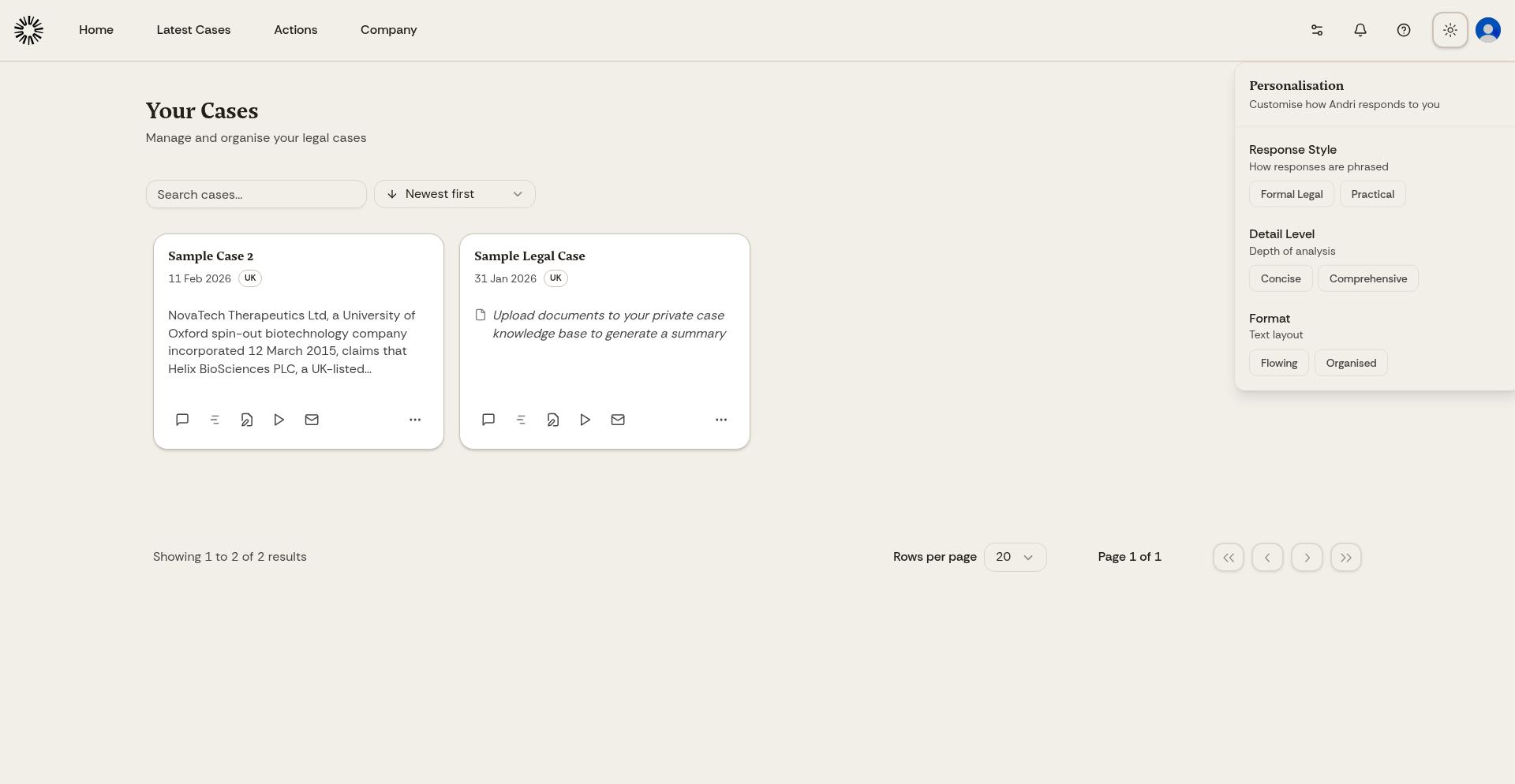
Response Style
Choose how Andri communicates with you:
Formal Legal: Responses use traditional legal language, formal tone, and structured legal writing conventions. This style is ideal for drafting court documents, formal correspondence, or when you need language appropriate for official legal proceedings.
Practical: Responses use clear, direct language focused on actionable advice. This style prioritizes readability and practical application over formal legal conventions. Best for internal analysis, client communications, or when you need quick, accessible explanations.
Use Formal Legal when generating documents for courts or formal legal contexts. Switch to Practical for internal case analysis and client-friendly explanations.
Detail Level
Control how much information Andri includes in responses:
Concise: Short, focused responses that answer your question directly without extensive background or explanation. Andri provides key facts and conclusions without detailed reasoning. Ideal for quick lookups, fact-checking, or when you already understand the legal context.
Comprehensive: Detailed responses with full reasoning, background context, multiple perspectives, and thorough analysis. Andri includes relevant precedents, explains legal principles, and explores implications. Best for complex legal research, strategic planning, or when you need to understand all aspects of an issue.
Start with Concise for routine work and switch to Comprehensive when tackling new or complex legal issues that require deeper analysis.
Format
Choose how Andri structures responses:
Flowing: Responses use paragraph format with continuous prose. Information flows naturally with transitions and context. This format works well for narrative explanations, legal memoranda, or when you need cohesive analysis that builds logically from one point to the next.
Organised: Responses use structured formatting with headings, bullet points, numbered lists, and clear sections. Information is broken into scannable chunks. This format is ideal for quick reference, step-by-step instructions, or when you need to extract specific information quickly.
Format preference affects chat responses. Organised format is particularly useful when working with complex multi-part questions or checklists.
How settings work together
Your personalisation settings combine to shape every AI response. For example, selecting Formal Legal + Comprehensive + Organised produces detailed, formally-written responses with clear section headings and structured lists, perfect for complex legal memoranda or court filings.
Alternatively, Practical + Concise + Flowing delivers quick, readable explanations in plain language, ideal for rapid case assessment or client updates.
Experiment with different combinations to find what works best for different types of legal work. You can change settings at any time, and they apply immediately to all future responses.
When settings apply
Personalisation settings shape chat responses and anything Andri writes from chat. Settings do not affect previously generated content, only new responses after you make changes.
Saving your preferences
Changes to personalisation settings save automatically. Simply select your preferred options and close the panel. Your preferences persist across all your Andri sessions and apply to all cases you work on.
Personalisation settings are user-specific. Your choices don't affect other team members. Each solicitor in your firm can configure their own preferences independently.
Recommended settings by task
For court documents and formal filings: Formal Legal + Comprehensive + Organised
For client communications: Practical + Concise + Flowing
For internal case analysis: Practical + Comprehensive + Organised
For quick fact-checking: Practical + Concise + Flowing