
Using Slash Commands
Slash commands provide quick access to specific Andri features directly from your chat interface. Type / to see all available commands.
Accessing Slash Commands
In your case chat, type / to open the commands menu. Andri displays all available slash commands with brief descriptions.
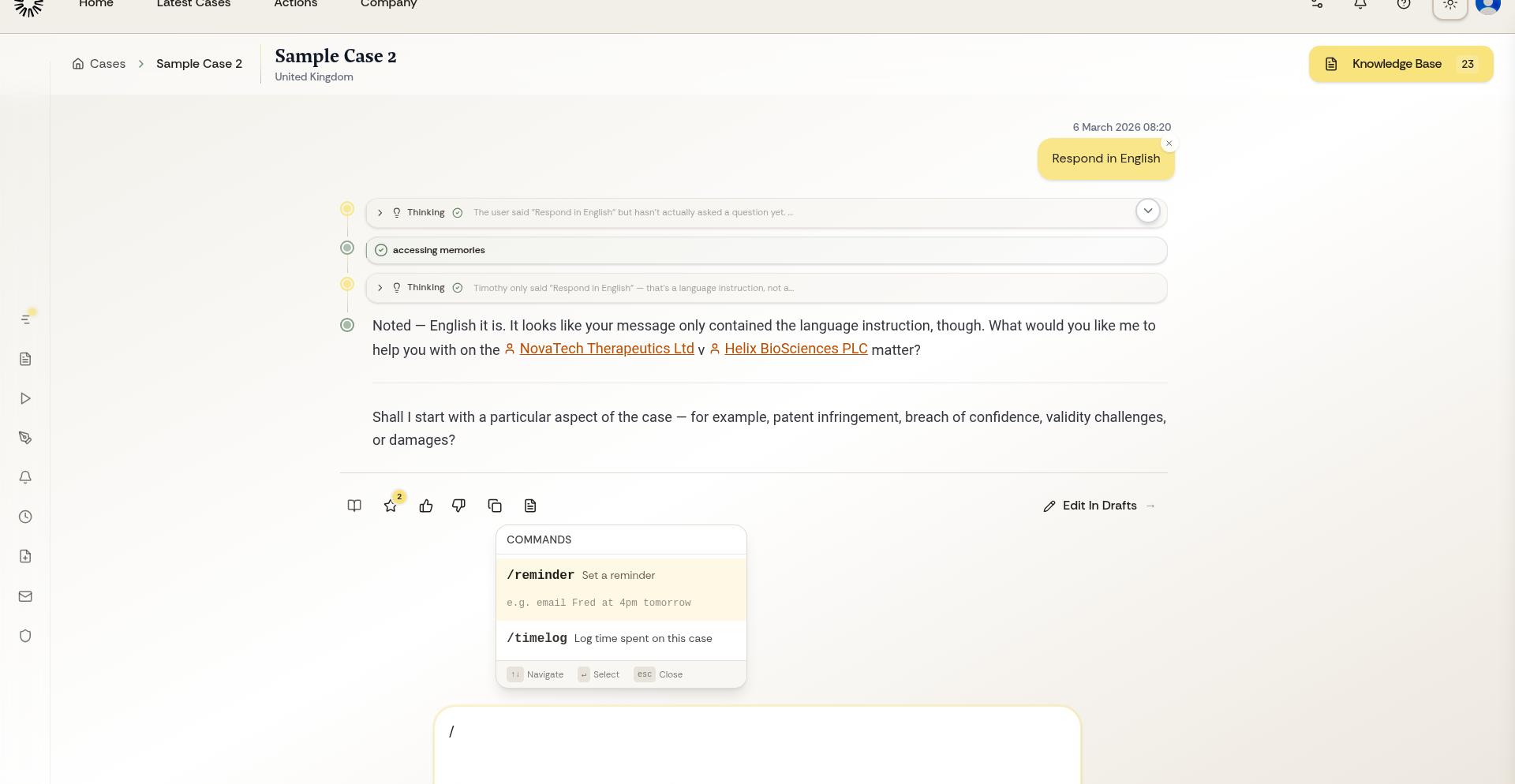
Select a command with arrow keys and press Enter, or click the command you want to use.
Available Slash Commands
/reminder: Create an email reminder for this case. Use natural language for the time: "/reminder follow up with client in 3 days"
Slash commands are language-specific. The available commands and their names may differ depending on whether you're using Andri in English or Dutch.
Command Syntax
Most slash commands accept natural language input after the command. Type the command, add a space, then describe what you want in plain language. Andri interprets your intent and executes the command accordingly.
For example:
/reminder review draft tomorrow at 2pmWhen to Use Slash Commands
Slash commands are shortcuts for specific functions. Use them when you know exactly what action you want to take. For general questions or requests, regular prompts without commands work better.
New slash commands are added periodically as Andri expands. Check the / menu regularly to discover new features.