
Understanding AI Modes: Planning, Fast, and Knowledge
Andri offers specialized AI modes that adapt how the platform approaches your legal work. Each mode is optimized for different types of tasks, from quick factual lookups to deep strategic analysis.
Accessing AI Modes
In your case chat, click the brain icon next to the message input field to open the mode selector.
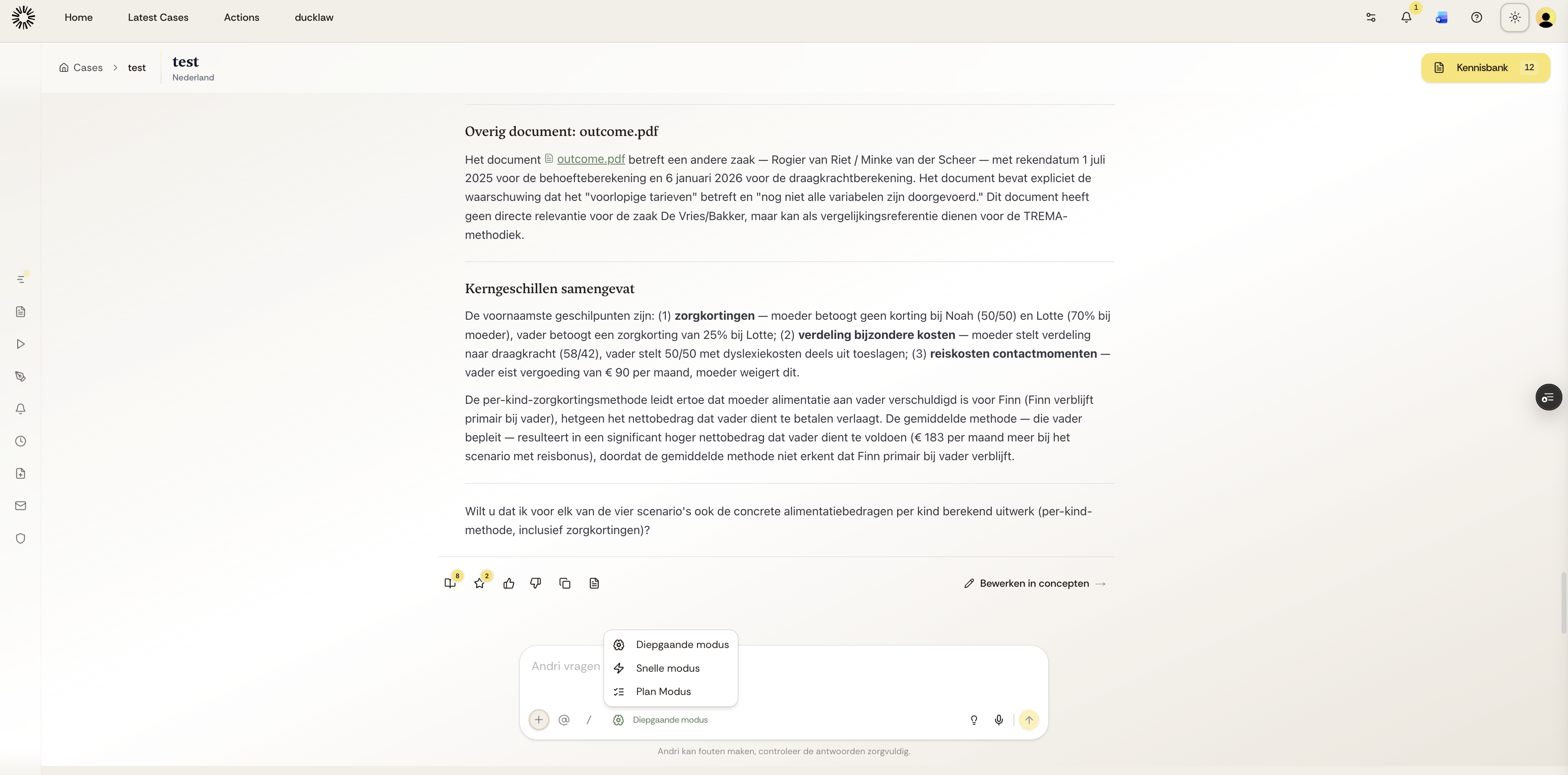
The mode selector displays the available AI modes. Select the mode that best fits your current task.
Available AI Modes
Fast Mode delivers quick, direct answers focused on facts rather than extensive analysis. This mode is ideal for straightforward questions, quick document lookups, or when you need immediate information. Fast Mode prioritizes speed while maintaining accuracy.
Deep Mode (Diepgaande modus) conducts thorough research and analysis across your case documents, company knowledge base, and integrated legal databases. This mode is best for complex legal research, finding precedents, comprehensive case analysis, or when you need detailed reasoning with full citations.
Planning Mode creates a strategic approach before executing complex multi-step tasks. Like a senior solicitor planning their approach, Planning Mode breaks down sophisticated legal work into structured steps, then executes each methodically. This mode is ideal for complex case strategy, multi-document analysis, or comprehensive legal memoranda.
Planning Mode is currently in development and will be available soon. Fast Mode and Deep Mode are fully available now.
Choosing the Right Mode
Andri automatically selects an appropriate mode based on your prompt, but you can manually switch modes using the brain icon. Use Fast Mode for quick factual queries, Deep Mode for research-intensive tasks requiring thorough analysis, and Planning Mode (when available) for strategic multi-step work.
Start with the automatic mode selection. Andri's AI chooses the optimal mode based on your question type and context. Override only when you need a specific approach for your task.
How Modes Work in Your Workflow
Different modes complement each other in your daily work. You might use Fast Mode to quickly check a date in a contract, switch to Deep Mode to research relevant case law and precedents, then use Planning Mode to structure a comprehensive litigation strategy.
Mode selection affects processing time and token usage. Deep Mode and Planning Mode consume more tokens but deliver more thorough results with detailed reasoning. Fast Mode uses fewer tokens for quicker responses.