
AI and document nodes
After a trigger starts your workflow, you add processing steps. Steps are grouped by what they do: AI Processing, Document Creation, Communication, Control Flow, and Time & Tracking.
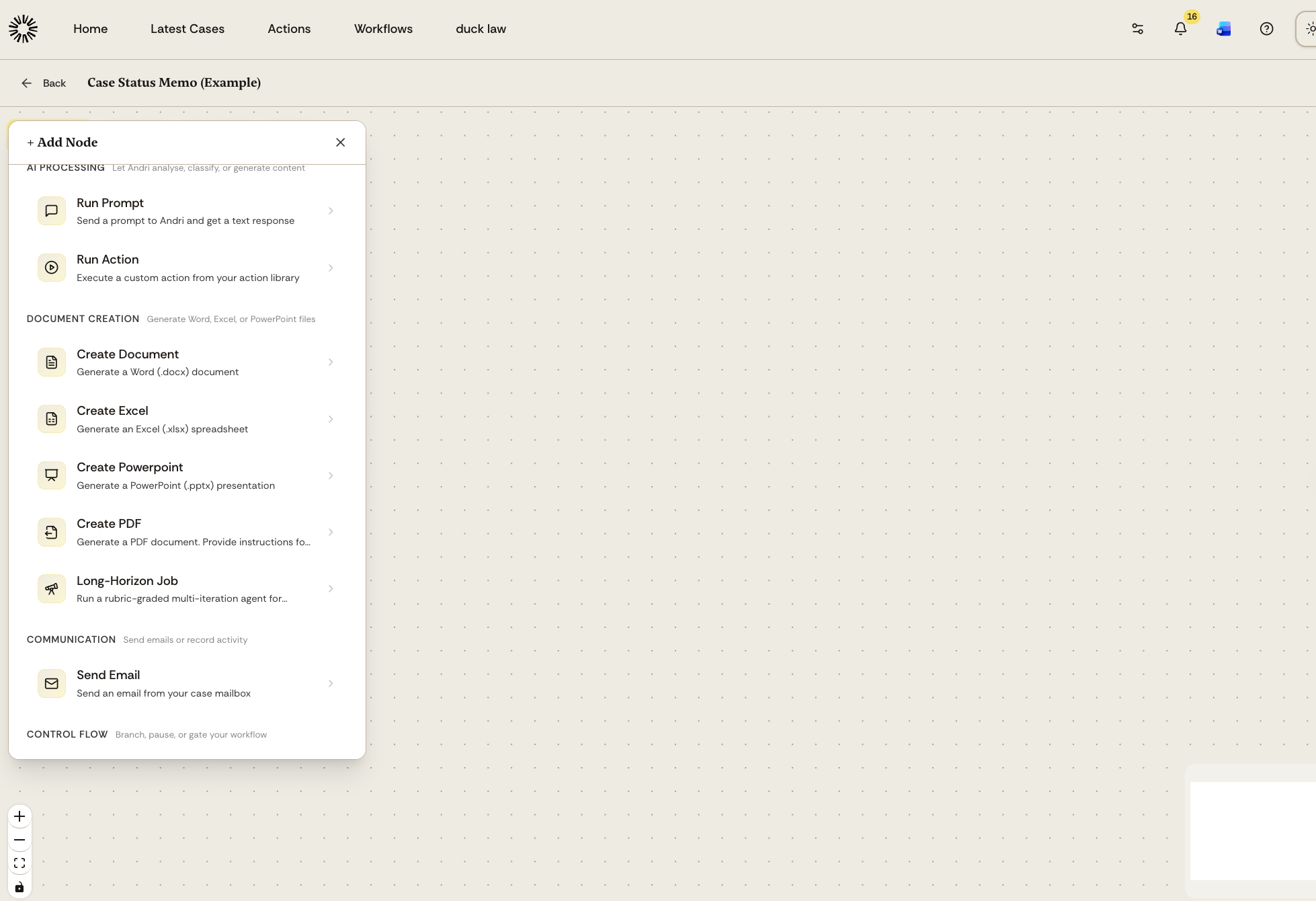
AI Processing nodes
Run Prompt
Send a prompt to Andri and receive a text response. Use this to analyze documents, extract information, or generate written content.
Run Action
Execute a custom action from your action library. Use this to reuse prompts and processes you have already configured.
Document Creation nodes
These steps hold the workflow until the file they produce is ready, so later steps can use it.
Create Document
Generate a Word (.docx) document. Use this to produce letters, memos, contracts, or any formatted text output.
Create Excel
Generate an Excel (.xlsx) spreadsheet. Use this for data tables, financial summaries, or structured lists.
Create PowerPoint
Generate a PowerPoint (.pptx) presentation. Use this for client presentations, case summaries, or training materials.
Create PDF
Generate a PDF document. Provide instructions for formatting and content.
Long-Horizon Job
Run an agent that keeps working and grading itself against a rubric you write, until every section of that rubric passes. Use it for research-grade deliverables where one document pass is not enough, such as a multi-section memo or a due diligence report. The files it produces are available to later steps like any other document.
Communication nodes
Send Email
Send an email from your case mailbox. Use this to deliver generated documents or summaries to clients or colleagues.
Control Flow nodes
These steps branch, pause, or gate the workflow, and they are the reason a workflow is not a straight line.
Conditional Check
Ask a yes or no question about the case or an earlier step. Andri answers true or false, and the workflow follows the matching branch. Use it when you only need routing, not written output.
Ask user
Pause and put a question with a list of options to the person you nominate. They are notified, and each option has its own branch, so the workflow resumes down the path that matches their answer.
Pause / Approval
Halt the workflow and notify the approver you nominate, who sees the state of the run and can approve or reject it. Approval can be limited to a specific person, to admins, or to any team member. The workflow resumes as soon as they decide.
Time & Tracking nodes
These appear when assignments are enabled for your firm.
Create Assignment
Create an assignment on the matter, assigned to whoever activated the workflow.
Update Assignment
Change an existing assignment's status or priority, or add a note to its activity log. Neither of these steps can be combined with an Assignment Updated trigger in the same workflow, because the workflow would trigger itself.
Adding nodes to your workflow
Click + Add Node in the workflow editor and select the node type you need. Configure each node, then connect it to the nodes that come before and after it. Where a step has more than one output, such as a Conditional Check or an Ask user step, each output starts its own branch.
Next step
After building your workflow, save or publish it to make it available for cases.