.png?width=6000&height=1813&name=logo(1920%20x%20580%20px).png)
The company knowledge base can be filled with all kinds of documents, ranging from press releases to publications you find important. This is your internal knowledge base, for all your team members.
Step 1: Go to your company environment
- Click on your company name in the top right corner of the screen. If you have not set up your company profile, do this first. View the Manual: Setting Up Your Company and Activating a Subscription on Andri.ai
Step 2: Go to the company knowledge base
- Click on “Company Knowledge Base” in the left side menu.
- You will now be taken to the page where you can manage your documents.
Step 3: Upload documents

- Click on the “Upload Documents”
- A pop-up will appear where you can select files.
- Click on “Choose Files” and select the document you want to upload.
- Supported formats are listed below the button as well as the maximum amount of files supported per upload.
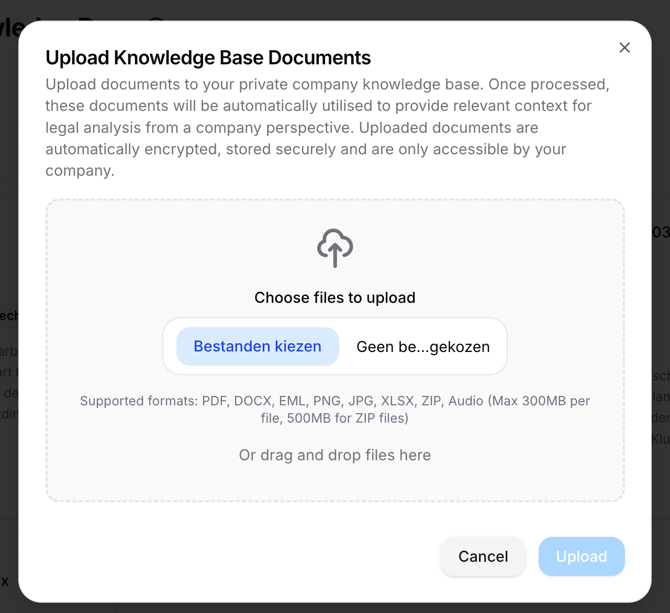
- Supported formats are listed below the button as well as the maximum amount of files supported per upload.
- Click on “Upload” to add the document to the knowledge base.
After uploading, the documents are automatically processed, encrypted, and stored. The documents are accessible only to your law firm and are used for legal analyses within Andri.ai. No one else has access to them except your law firm.